Clear operator screens. Consistent process information. A practical path from interface development to commissioning.
I’m Seth Peterson, a professional software contractor developing VTScada applications and EasyBuilder Pro touch-panel interfaces. My work covers water-system overviews, lift-station visualization, tag and register mapping, alarm workflows, and offline validation.
From process information to an interface people can use.
01 / INTERFACE
Operator screens & navigation
Station graphics, overview pages, equipment drill-downs, and layouts that keep readings, states, and setpoints easy to find.
02 / DATA
Tags, registers & alarms
Organizing point definitions, engineering units, scaling, high/low alarm behavior, and the information needed to prepare driver configuration.
03 / VALIDATION
Offline checks & handoff
Testing screen response with simulated values, checking input scaling, documenting results, and identifying what remains for field commissioning.
Selected SCADA / HMI work
Two platforms. Real development work.
These projects show the interface and validation work behind the screens. Offline checks and future live commissioning are identified separately.
WATER SYSTEM / HMIOFFLINE DEVELOPMENT
01
02
03
OVERVIEW → STATION → EQUIPMENTIllustrative graphic · No live data
VTScada · HMI development · Industrial systems
VTScada HMI
Operator-interface development for a water-system SCADA
application, translating legacy InTouch screens into a
consistent VTScada interface. The work covers station graphics,
a master tank overview, equipment drill-downs, level alarms,
and preparation for future read-only data acquisition.
Status
Offline development · Live I/O commissioning pending
Station screensConsistent tank, pump, valve, and well graphics, with readable equipment states and process values.
Master overviewTank cards lead into equipment detail panels with level readings and high/low setpoints.
NavigationSeparate location and tool tabs, active-page indicators, and a simplified system map.
Tags and alarm workflows
Level tags17 tank and well level tags configured within the VTScada Light tag budget.
Alarm behaviorHigh and low level alarms with priorities, acknowledgement, and controlled test values.
Offline validationManual values exercise the displays and alarm states before any live plant connection.
Legacy data and I/O preparation
InTouch migrationReview of legacy screens and exported point definitions to preserve the operator’s workflow.
Address mappingExport-to-driver address mapping and connection worksheets for future commissioning.
Driver stagingModbus and Allen-Bradley driver preparation, with protocol, scaling, and connection details awaiting field confirmation.
Handoff and commissioning readiness
Read-only acquisition planPlant reads are planned; this development copy is offline and has no live write connection.
Clear development stateDisplayed process values remain placeholders until connectivity and engineering units are verified.
DocumentationScreen-by-screen progress reports, driver notes, and remaining commissioning requirements.
TOUCH PANEL / HMIOFFLINE PROTOTYPE
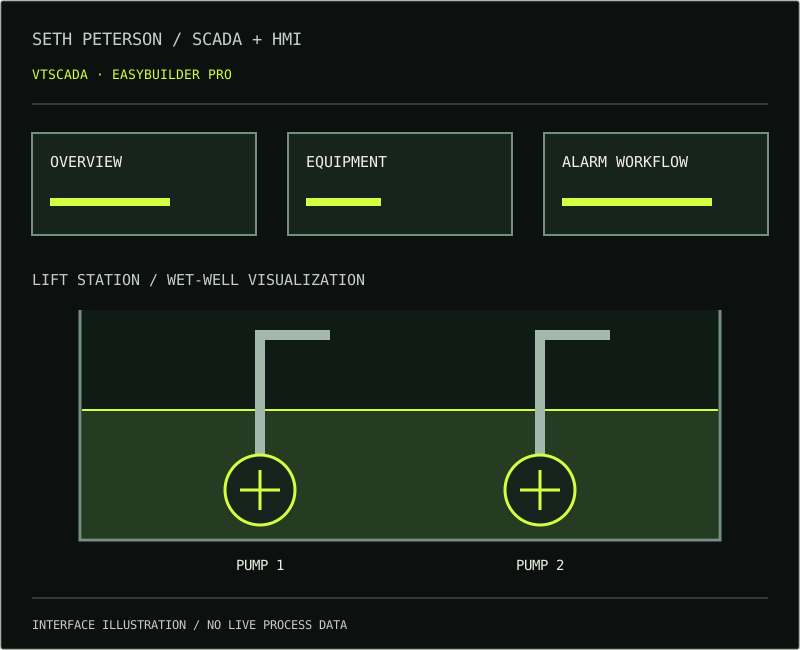
LIFT STATION / WET-WELL LEVEL
1024 × 600 / cMT PANELIllustrative graphic · No live data
EasyBuilder Pro · Weintek cMT · Touch-panel HMI
EasyBuilder Pro · Lift Station
Developing a lift-station operator interface in Weintek
EasyBuilder Pro for a 1024 × 600 cMT touch panel. The work
connects native HMI objects to register-based process data,
with scaled wet-well levels, pump graphics, and operator
setpoint entry validated in offline simulation.
Status
Offline HMI validation · Field commissioning pending
Wet-well displayA continuous level bar sits behind the pump and pipe graphics, keeping the process view readable.
Synchronized feedbackNumeric level readings, gauge fill, and wet-well fill track the same scaled process value.
Panel designNative EasyBuilder objects form a fixed-resolution operator interface for the Weintek cMT3072XH3.
Registers and engineering units
Logical bindingsRegister-linked objects organize process readings and operator parameters.
Level scalingOffline checks confirm that a raw value of 69 displays as 6.9 feet across the related indicators.
Source reviewAddress consistency and floating-point word order remain explicit field-verification items.
Operator input and native validation
Setpoint entryTouch-operated numeric fields use the native popup keypad for operator input.
Write scalingAn offline lead-stop entry of 6.0 feet was checked against the corresponding simulated raw value of 60.
Build checksThe documented HMI validation build compiled with zero errors and warnings and reopened in a fresh editor session.
Integration and current scope
Offline evidenceLevel response and input checks use simulated values, not a connected lift station.
PLC investigationWork includes reviewing the supplied Schneider project and checking the path toward HMI/PLC integration.
Commissioning aheadLive communications, communication-failure behavior, pump command mapping, and panel deployment still require verification.
Working together
A defined scope. A reviewable result.
Review the existing system
Start with the platform, panel model, operator workflow, screen references, and available tag or register documentation.
Build and review the interface
Agree on the screen hierarchy and process graphics, then review layouts and behavior against the actual information operators need.
Validate and document
Use offline values and native tools to check displays and inputs. Record observed results, unresolved mappings, and the remaining field checks.
Plan the commissioning boundary
Define approved connectivity, read/write permissions, scaling checks, and site testing before connecting to live equipment.
Before we start
A few practical details.
Which platforms does this work cover?
The featured work uses VTScada Light on Windows and Weintek EasyBuilder Pro for a cMT3072XH3 touch panel. Other project requirements can be discussed before agreeing a scope.
Are these projects connected to live equipment?
The work described here is offline development and validation. The VTScada application uses placeholder process values; the lift-station HMI has register-based displays and inputs checked in offline simulation. Live PLC integration, field behavior, and panel deployment still require verification.
What information helps scope a project?
The HMI platform and version, panel model, current screens, point list or register map, desired changes, and acceptance criteria. An initial discussion can stay high level; plant credentials and network details are not needed in a public message.
SCADA / HMI contracting
Let’s define the next screen.
Connect with Seth Peterson on GitHub to discuss VTScada or EasyBuilder Pro development. Start with the platform, what you need to change, and the outcome you’re looking for.